
What goes where#
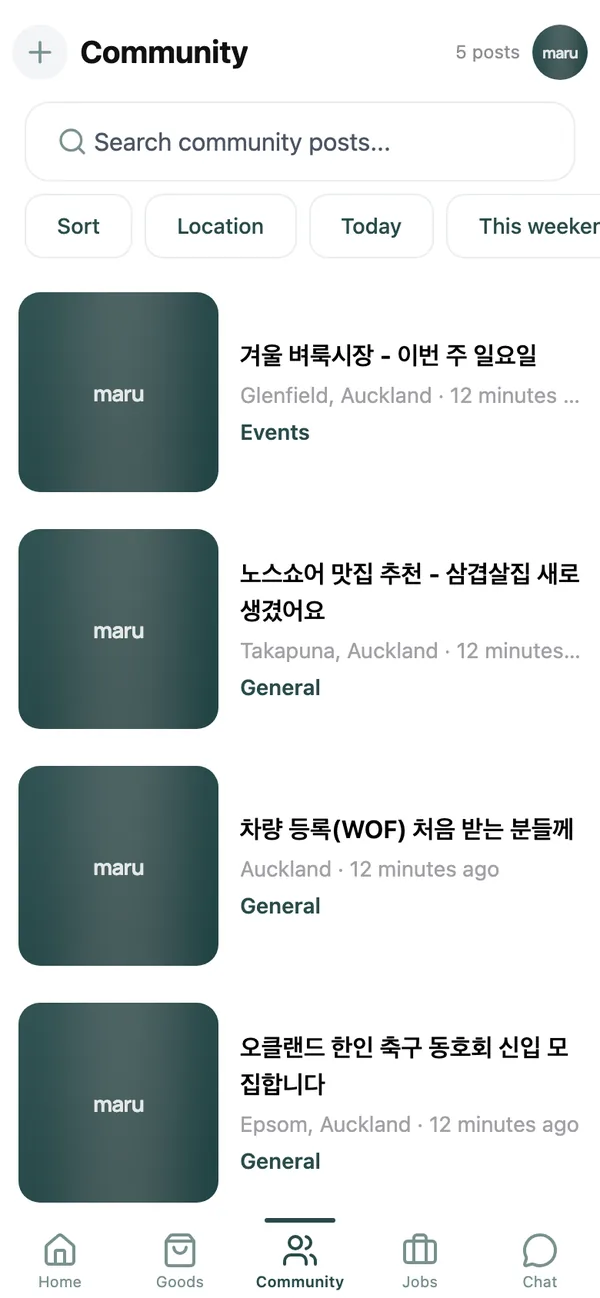
Every post has a category, and the chips at the top of the feed filter by it:
- General: anything that does not fit below.
- News: things happening in the community or in New Zealand that others should know.
- Questions: ask, and neighbours who have been here longer answer.
- Events: markets, church and school events, meetups. These carry a date, and the feed’s date chip (Today, This weekend, This week or Pick a date) finds what is on.
- Deals: a good price you spotted, a sale, a discount code.
- Lost & Found: lost or found items and pets.
- Notice: announcements from the maru team.
Write a post#
- 1
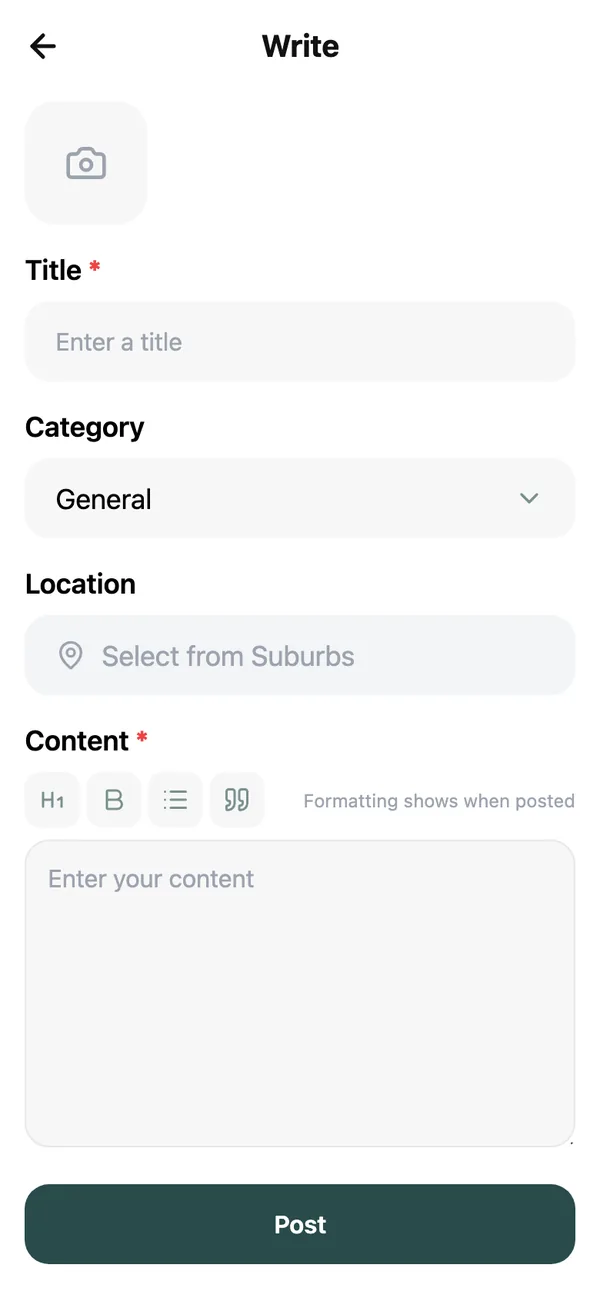
Tap + and choose Post in community
The form is called Write. - 2
Title, category and content
Title and Content are required. Pick a Category; for Events you also set a Start date and, if it runs longer, an End date (optional). - 3
Location and photos
Location is optional but worth setting so the right neighbours see it: tap Select from Suburbs. Add up to five photos under Photos (max 5). - 4
Tap Post
You can come back and Edit or Delete it any time from My Community Posts on the My page.
- becomes a bullet list. That is all the structure most posts need.Join the conversation#
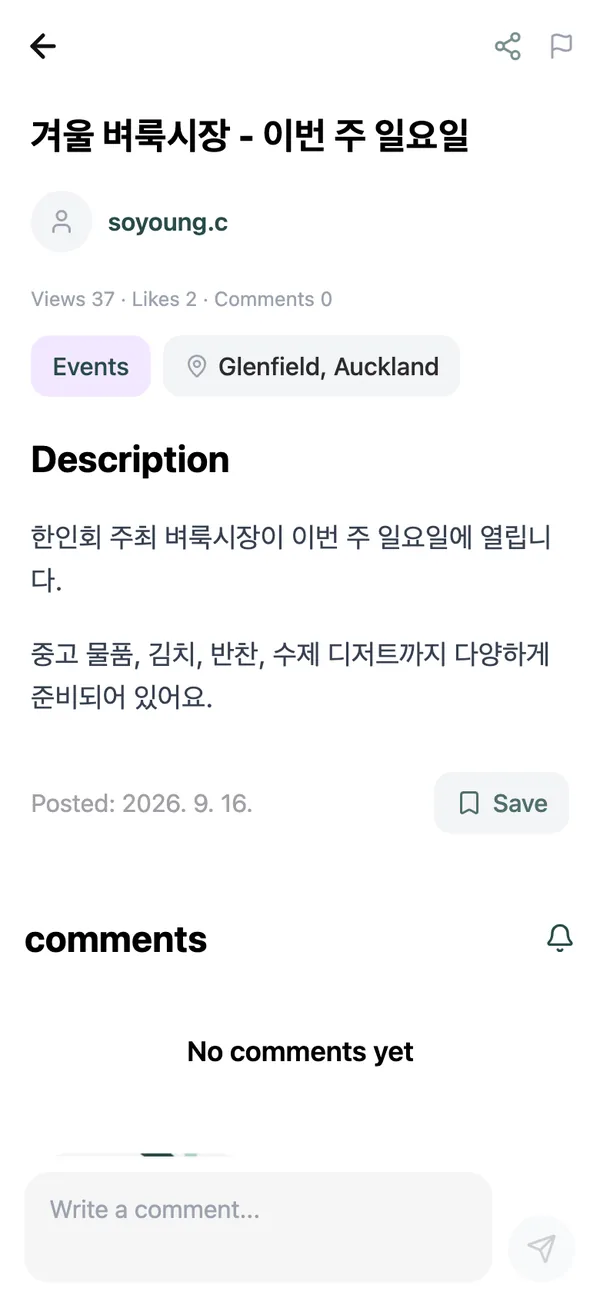
Under any post you can:
- Like it, so the author knows it helped.
- Comment: type into Write a comment… at the bottom. Replies to your comment come to your notifications.
- Save it to find it again under Saved Items.
- Share it with the Share icon, which copies a link that opens in the app or the web.
Posts and comments written in the other language can be switched with the pill at the top of the post; see the translation guide.
House rules#
Be the neighbour you would want. No spam, no reposting the same thing across categories, no personal attacks, and nothing illegal. A post that breaks the rules can be reported with the Report icon and is reviewed within 24 hours. Repeat offenders are removed.
Common questions#
Can I sell something in a community post?#
Please list it in the Goods tab instead, where buyers are looking and where it can be reserved and marked sold. See the selling guide.
Can I post a job I am hiring for?#
Job listings go on the jobs board via the maru team; see the jobs guide. A short community post is fine in the meantime.
Who can post a Notice?#
Only the maru team. The category exists so you can filter for official announcements.
Keep reading#
Still stuck? Email [email protected] and we will walk you through it.