
Browse and filter#
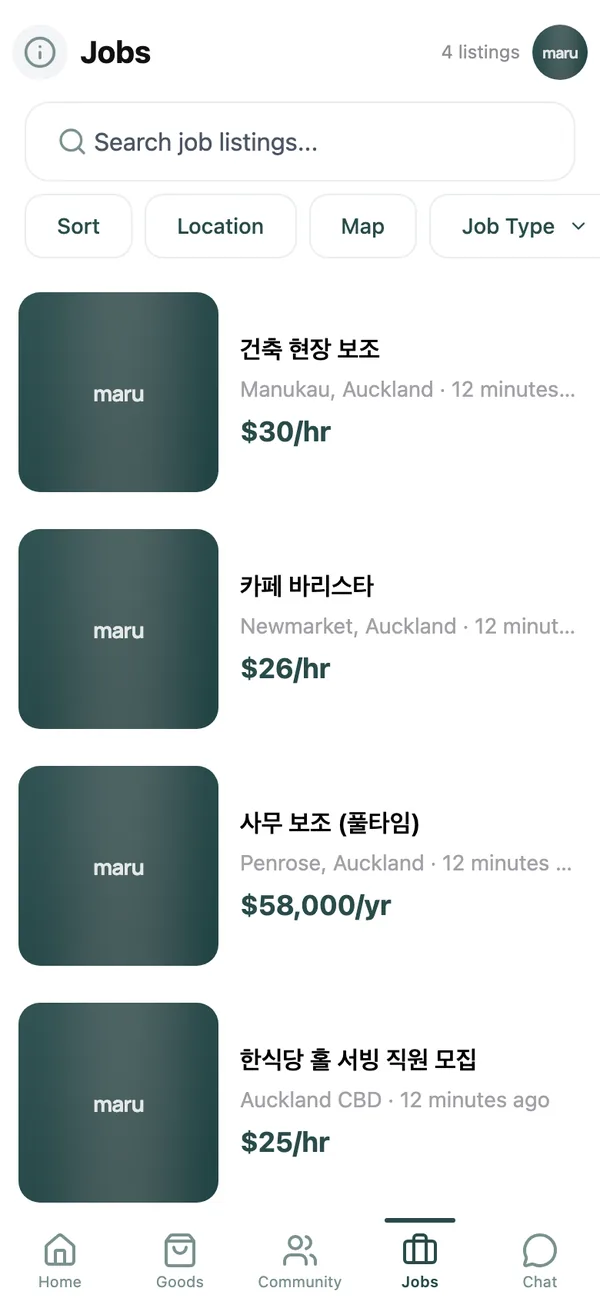
Listings are newest first and, like the marketplace, drawn from your saved places. Narrow them with the chips:
- Job Type: Full-time, Part-time, Contract, Internship or Temporary.
- Category: Food & Hospitality, Retail, Office & Admin, Construction, Education, Healthcare, IT & Software, Driving & Delivery, Cleaning, Manufacturing, Agriculture, Beauty and Other.
- Location and Sort, as everywhere else in the app.
Each listing shows the business, the employment type, the pay where the employer has given it, and the location.
Save a listing for later#
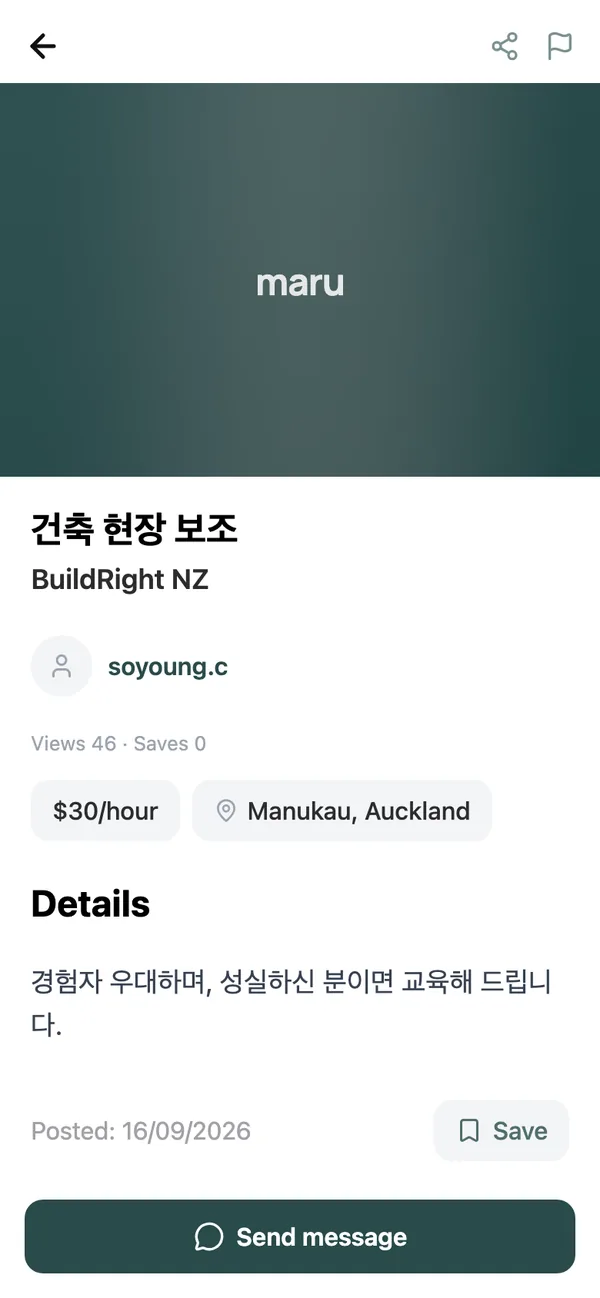
Tap Save on a listing and it goes into Saved Items on the My page, alongside any community posts you have bookmarked. The button reads Saved once it is there.
Contact the employer#
- 1
Tap Send message
This opens a chat with whoever posted the role. There is no separate application form: introduce yourself in the first message. - 2
Say what matters up front
Your visa status and hours you can work, your experience, and where you live. Employers on maru are often hiring quickly, and a clear first message saves a round trip. - 3
Keep it in the app
Photos of a CV or a certificate can be sent in the chat. Do not send passport or bank details to anyone before you have met them and confirmed the business is real.
Hear about new jobs first#
Two things bring jobs to you instead of the other way round. Turn on Keyword matches and add a keyword such as barista or warehouse under Keyword Alerts, and you are told about any listing that mentions it. Or, under Notification Settings, enable Job listings within “Posts near you” to hear about every new role near a saved place. The alerts guide walks through both.
Common questions#
How do I post a job?#
Job listings are added by the maru team, so the board stays free of duplicates and scams. Email the role, pay, hours, location and how to apply to [email protected] and we will list it, free of charge.
Can I post that I am looking for work?#
Not on the jobs board itself, but a short post in the Community tab is a good way to say what you are looking for. See the community guide.
A job asks me to pay a fee first.#
No legitimate employer charges to hire you. Do not pay, and tap Report on the listing so we can remove it.
Keep reading#
Still stuck? Email [email protected] and we will walk you through it.