
What a profile shows#
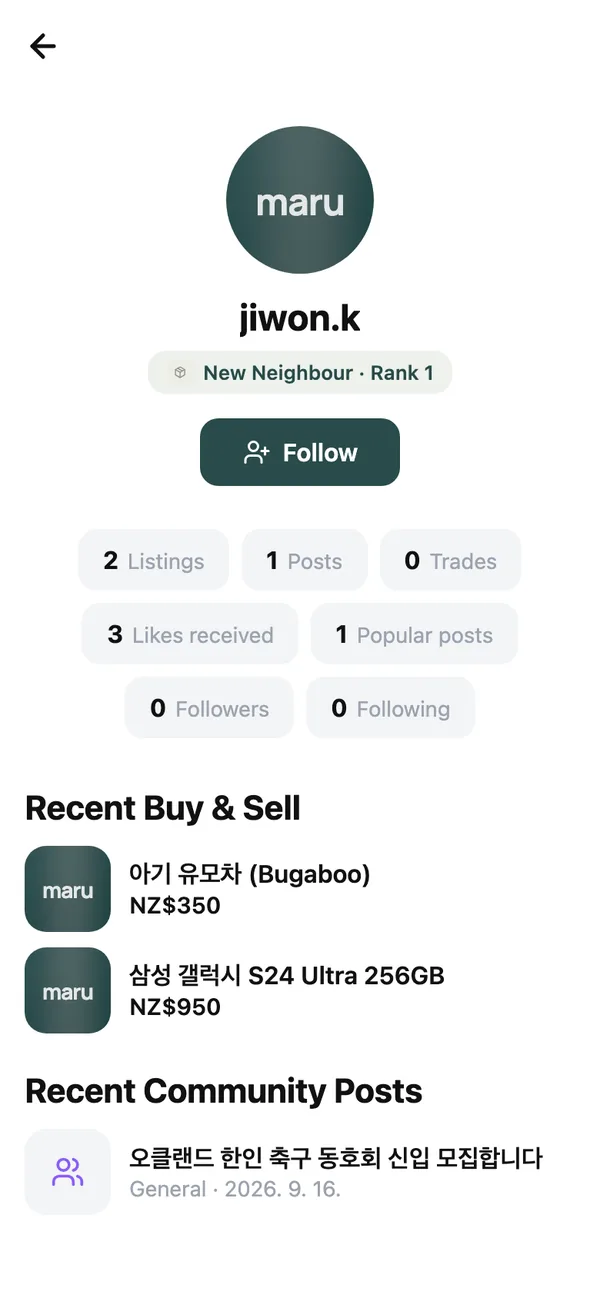
Open any member’s profile from their name on a listing, post or chat. It shows Member since, counts for Listings, Sold and Posts, their Maru Score rank, and their Recent Buy & Sell and Recent Community Posts. From here you can Follow them or Send message.
Members of the maru team carry a Staff badge.
Edit your own#
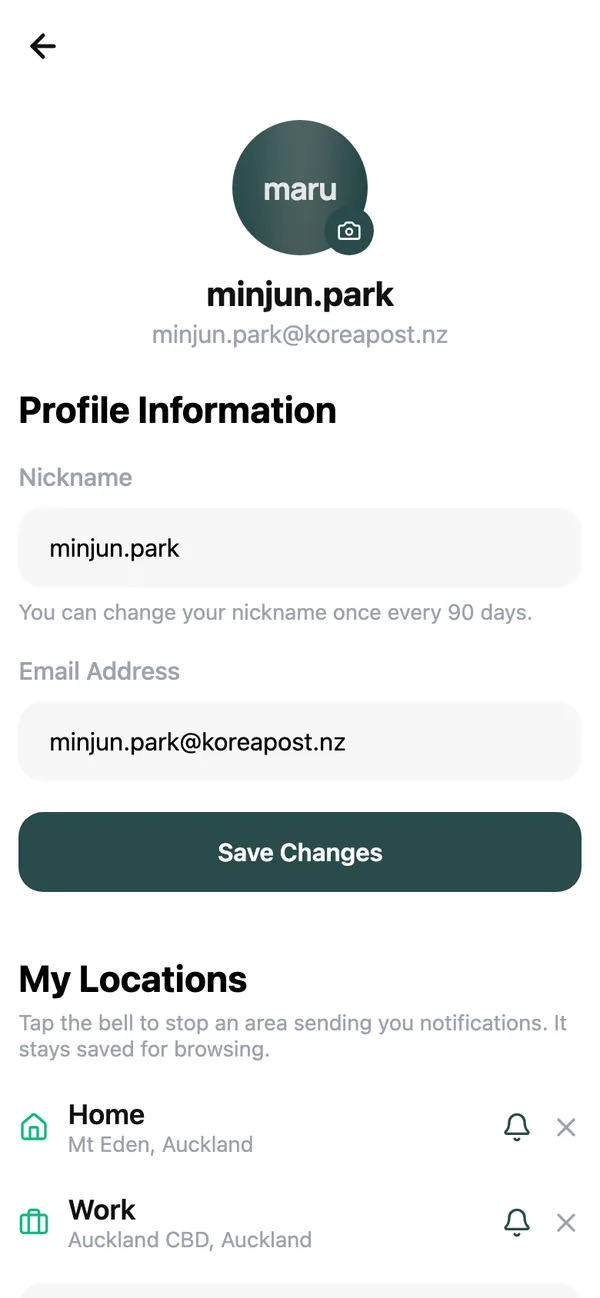
Tap your avatar, then Your Profile. You can change your photo, your Nickname and your My Locations, and manage Linked Accounts and Passkeys.
Maru Score#
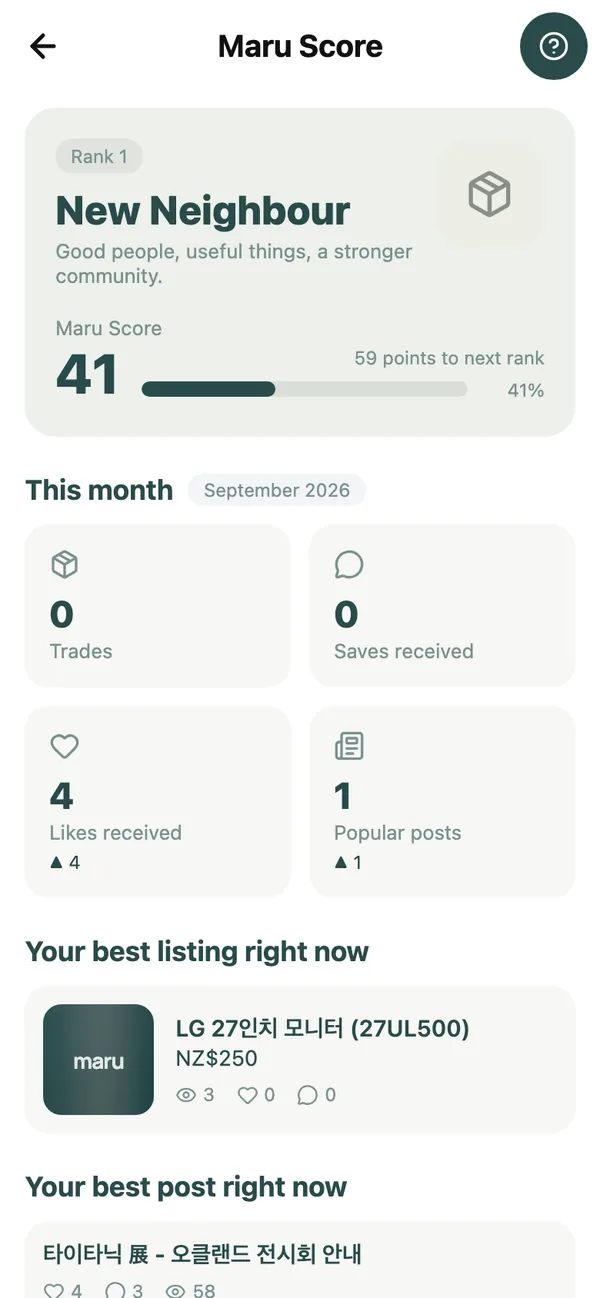
Maru Score (마루 지수) turns what you do on maru into a rank shown on your profile. Tap the rank on your My page to open the dashboard: your current Rank, how many points to next rank, and This month: Trades, Saves received, Likes received and Popular posts.
The five ranks, and the score that reaches each:
| Rank | Score |
|---|---|
| New Neighbour (새 이웃) | 0 |
| Familiar Neighbour (익숙한 이웃) | 100 |
| Active Neighbour (활발한 이웃) | 300 |
| Popular Neighbour (인기 이웃) | 700 |
| Maru Star (마루 스타) | 1,500 |
A rank is never lost. Your score only goes up.
What earns points#
Roughly in order of weight:
- Completing a trade. Marking an item sold is the biggest single earner; giving something away for free counts too.
- A popular post. A community post that gets read, liked and commented on enough earns a bonus on top of the likes.
- Interest in what you post. Each like, save, comment and enquiry someone else leaves on your listing or post adds a little, as do views once enough people have looked.
- Posting at all. Listing an item or writing a post earns a small amount on its own.
Nothing you do to your own content counts, editing never pays twice, and liking and unliking something repeatedly is counted once. The score rewards being useful to other people, not activity for its own sake.
Your digital member card#
Under Digital Pass on your profile, tap Generate Pass to create a Member Card and add it with Add to Apple Wallet or Add to Google Wallet. It carries your nickname and member number, and it is the card that community partners will scan when maru perks launch.
Common questions#
Can other people see my score?#
They see your rank and the counts behind it, never the number. There is no leaderboard.
My rank did not change after I marked an item sold.#
Points are awarded on the spot but ranks have gaps between them; check the dashboard for points to next rank. Imported listings and items you mark sold on the same day you listed them can be excluded.
What are the Points on my profile?#
An older ledger that awarded points for daily sign-ins and posting. It is no longer added to; Maru Score replaces it.
Keep reading#
Still stuck? Email [email protected] and we will walk you through it.