
How it works#
Every listing, post, comment and message is labelled with the language it was written in, worked out from the words themselves, not from the writer’s settings. Content in the other language gets a machine translation into yours, generated once and stored, so it opens instantly.
Translations are good but not perfect. Prices, addresses, model numbers and times survive intact; idioms sometimes do not. The original is always one tap away.
On a listing, post or job#
When something was written in the other language, a pill appears at the top of the detail screen reading View in, with the language filled in. Tap it to switch; while you are reading a translation the pill is marked Translated. Tap it again to go back to the original.
Feeds show titles in your language automatically, so you can skim without opening each one.
In chat#
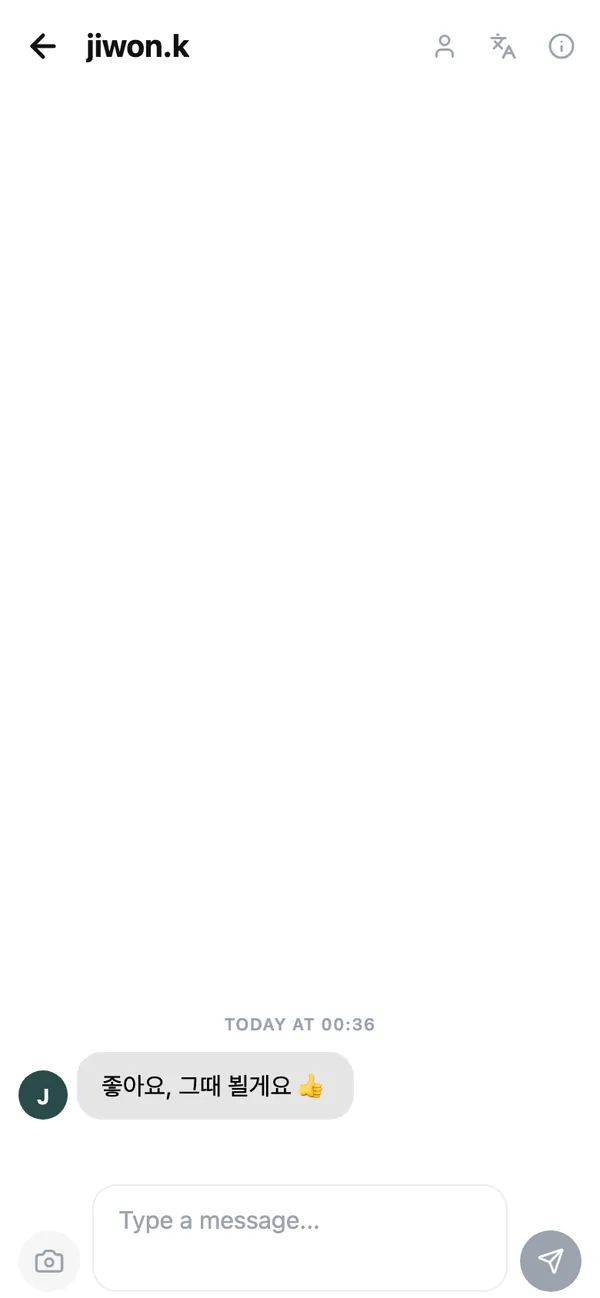
A conversation has its own toggle, Translate messages, at the top of the chat. With it on, every incoming message is shown in your language and marked Translated from. Show original language turns it off for the whole conversation, and each message has View original and Show translation on its own.
Your own messages are sent exactly as you typed them. The other person sees them translated only if they choose to.
Set your app language#
- 1
Open the My page
Tap your avatar, then the My page from the account menu. - 2
Tap Language
Choose English or 한국어. The whole app switches immediately, including the language other people’s content is translated into.
Common questions#
A translation is wrong. Can I fix it?#
Not yet, but tapping View original always shows exactly what was written. If a translation is misleading, tell us at [email protected].
Is my chat read by a person to translate it?#
No. Translation is automatic. Conversations are private to the two people in them and the moderation team only sees one if it is reported.
I wrote in Korean but the post is labelled English.#
That can happen when a post is almost all numbers, links or emoji. Add a sentence of text and the label will be right on the next post; existing posts are re-checked periodically.
Keep reading#
Still stuck? Email [email protected] and we will walk you through it.