
Find your wallet#
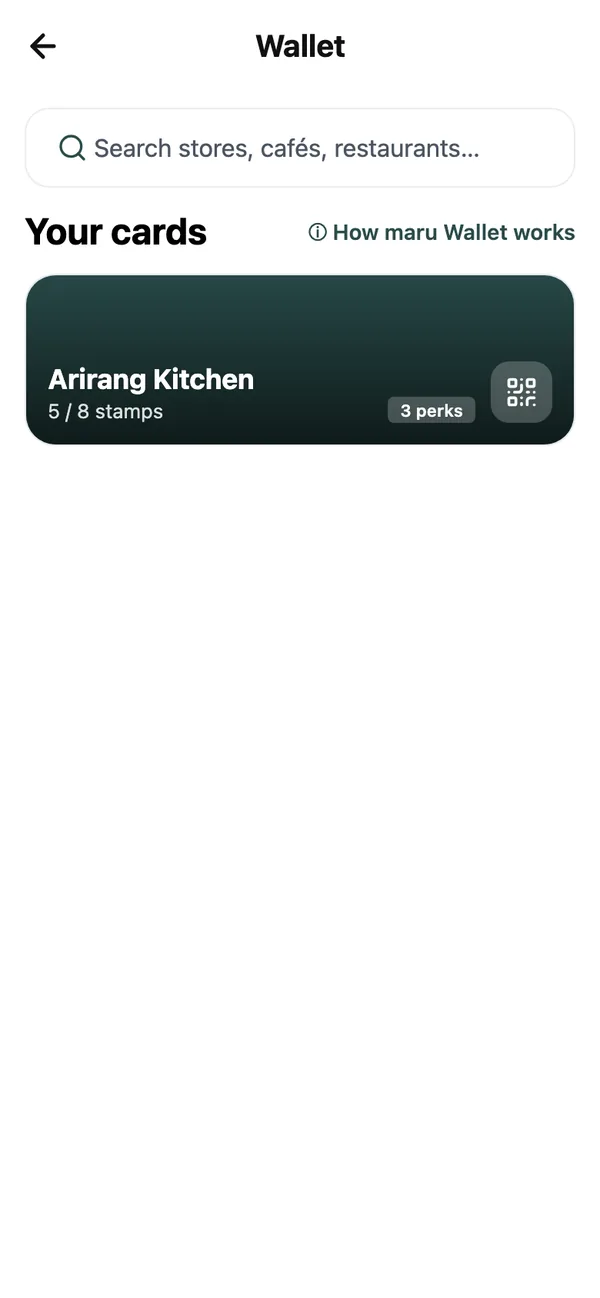
On the My page, tap Wallet (My perks, rewards and offers). Your cards are the places you already have a card with; More cafés lists the rest, with a search and chips for Café & Food, Retail, Beauty & Wellness and Fitness. Opening a café’s card is all it takes to join.
What is on a card#
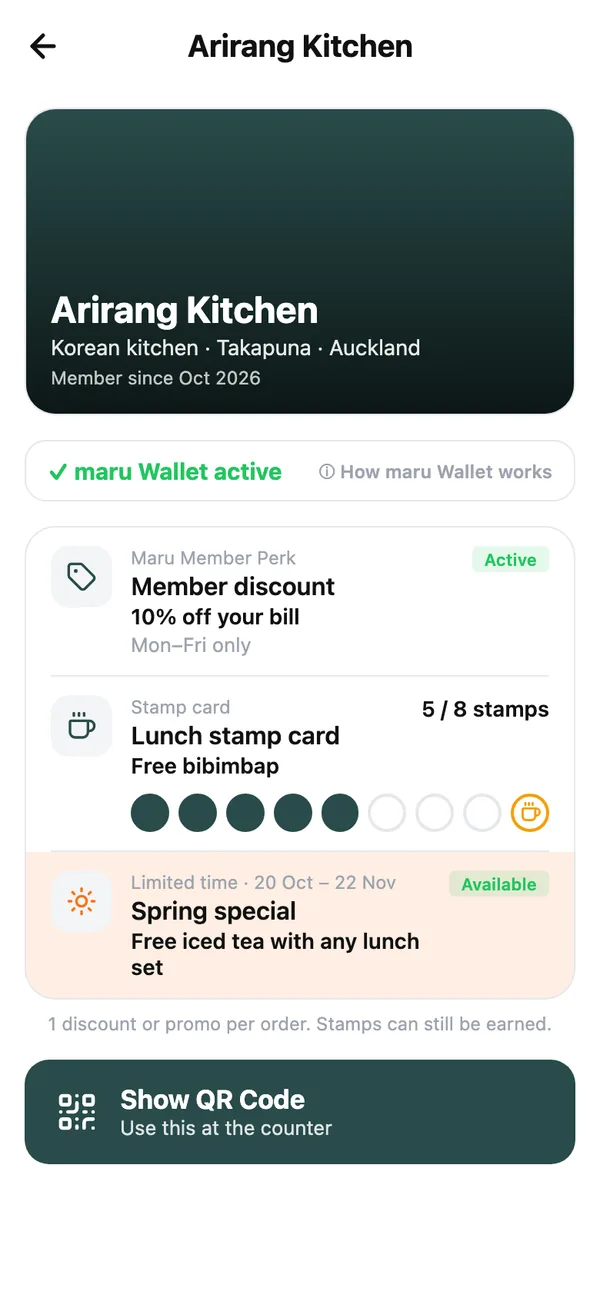
Each card lists that place’s perks, and each perk is one of three kinds:
- Maru Member Perk: a discount that applies every visit, such as 10% off your bill. Some are limited to certain days, shown on the perk.
- Stamp card: a stamp each time you buy, and a reward when the card is full. The perk shows how many you have.
- Limited time: a special for a limited time, used once.
Tap View terms on a perk for the full conditions. 1 discount or promo per order. Stamps can still be earned.
At the counter#
- 1
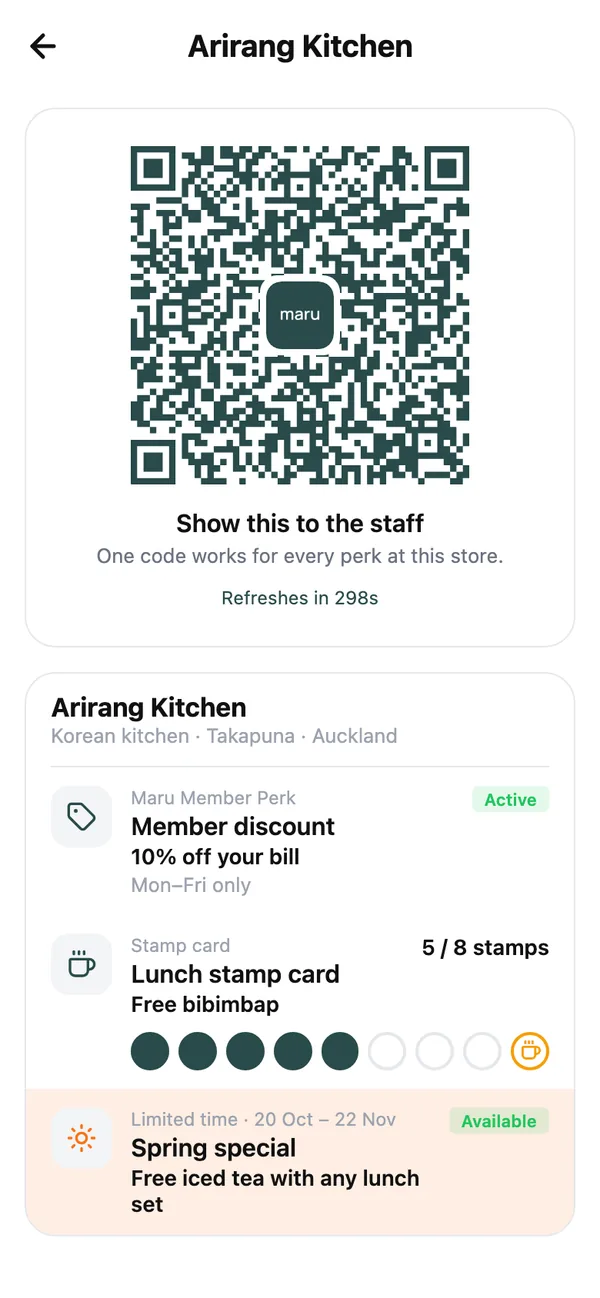
Tap Show QR Code
One code works for every perk at this store. The screen renews the code as it counts down, and each one works for five minutes, so a screenshot of it soon stops working; show the screen itself. - 2
The staff scan it
They choose what applies to this order: the discount, a stamp, a reward. Your phone shows what they did as it happens: a stamp added, a discount applied, a reward redeemed. - 3
Use your reward
When a stamp card fills up, the card says Reward ready — show your code to use it. Show the same code next time and the staff redeem it. Some rewards have a use-by date, shown on the card.
Why some perks ask for a listing#
Many partner perks are for members who trade on maru, so they open while you have a second-hand listing up and pause when you have none. The card shows where you stand in one line under its banner: ✓ maru Wallet active when everything is open, a countdown after a sale, or 🔒 Your maru Wallet is locked with a link to Post a new listing →
- Post a listing and the perks open straight away.
- Mark your last listing as sold and they stay open for a while longer (the card counts down the days), so a sale is never punished.
- Delete your last listing, or let the countdown run out, and they pause until you list something again.
Stamps are never lost while a card is paused; they are all there when it opens again. Specials marked as open to everyone work whether you have a listing or not. Tap ⓘ How maru Wallet works on the card for a summary.
Common questions#
Does it cost anything?#
No. The wallet is free for members; the partner pays for its perks.
I deleted my listing and my perks locked. Why?#
Selling and deleting are different on maru. Mark the item as sold instead and your perks stay open for the countdown; deleting closes them at once.
My business would like to offer perks on maru.#
Email [email protected]. Partners are set up by the maru team, and staff scan codes from the Till in maru’s business portal on the web.
Keep reading#
Still stuck? Email [email protected] and we will walk you through it.